Instagram Highlights Downloader
Advertisement
What you get
What makes GramFetchr Highlights Downloader Different?
Entire IG Highlights Collection in One Pull
Grab an entire Instagram Highlight collection in one go, every cover and every clip inside it, so you never have to tap through multiple bundled stories one at a time or restart midway.
Uncompressed, Always
Photos and videos from Instagram highlights come through at the same resolution the creator uploaded, frame for frame, not the compressed, downscaled version the app hands you on playback.
Sign up into Nothing
You stay signed out of everything the whole time. No Instagram credentials, no email, no password, and no session data linked back to your Instagram account or device.
No Overlays, No Stamps
Instagram story highlights arrive without watermarks, username stamps, or profile overlays pasted on top, so your saved copies look exactly like the originals the creator posted.
Done in Seconds
Most IG Highlights download in under 5 to 10 seconds start to finish, even longer stories packed with high-resolution video clips and dense photo sets.
Stills and Clips Alike
Mixed-media Insta highlights download in full, with every photo and video clip kept intact, in the same sequence the creator arranged them on the Instagram stories.
Anonymous by Design
We don't track your activity, store your history, or leave fingerprints, and the account owner is never notified that you saved their Insta Highlight content.
How it compares
GramFetchr vs Other ways to save Insta Highlights
If you're here, you've probably already tried the obvious workarounds and hit the wall each one hides. Here's how the common options stack up.
| Feature | GramFetchr | Instagram App Manual Save | Screenshot Method |
|---|---|---|---|
| IG Highlight Quality | Original HD | Compressed | Lower resolution |
| Full IG Highlight Collection Download | Yes, all media at once | No, one by one | Not practical (lot of manual work) |
| No Instagram Sign-In Required | Yes | No | Yes |
| No Watermark or Overlay | Yes | Username visible | Visible |
| Speed | Very Fast | Time-consuming | Manual |
| Account Owner Notified | No | No | No |
Screenshots lose quality and stamp usernames across the frame, and most other tools either compress files, push you through lock features behind a paywall. GramFetchr keeps it simple: full quality, unlimited Instagram story saves, no cost.
Advertisement
Why GramFetchr
Why download Instagram Highlights with GramFetchr?
Instagram story highlights are supposed to be the permanent part of Instagram, the content a creator actually wants to keep pinned.
But the moment you try to save one, the reality hits. Instagram offers no bulk export. The in-app save compresses everything. Working through a long story one clip at a time takes forever, and screen recordings just capture the progress bars and UI. You end up with messy files that don't match what you saw on screen.
GramFetchr skips all of that. You paste a link, and every photo and video in the Highlight comes back at full resolution, ready to keep.
Here is who uses GramFetchr and why:
- People backing up their own Instagram Highlights or a favorite creator's content before it disappears, since pinned stories can be removed at any time.
- Content creators studying long-term trend compilations and brand storytelling across entire Highlight reels, not just single posts.
- Followers saving tutorials, recipes, travel guides, fitness routines, and Q&A sessions they actually want to revisit offline.
- Parents and families archiving meaningful life moments shared in pinned stories, so those memories don't live only on someone else's server.
- Marketers analyzing competitor content strategy, tracking what brands promote and how they structure their pinned stories over time.
GramFetchr makes it easy to save Instagram Highlights forever in their original high quality, without notifying the account owner.
The process
How to Download Instagram Highlights?
Step 1 - Copy the Instagram Highlights URL
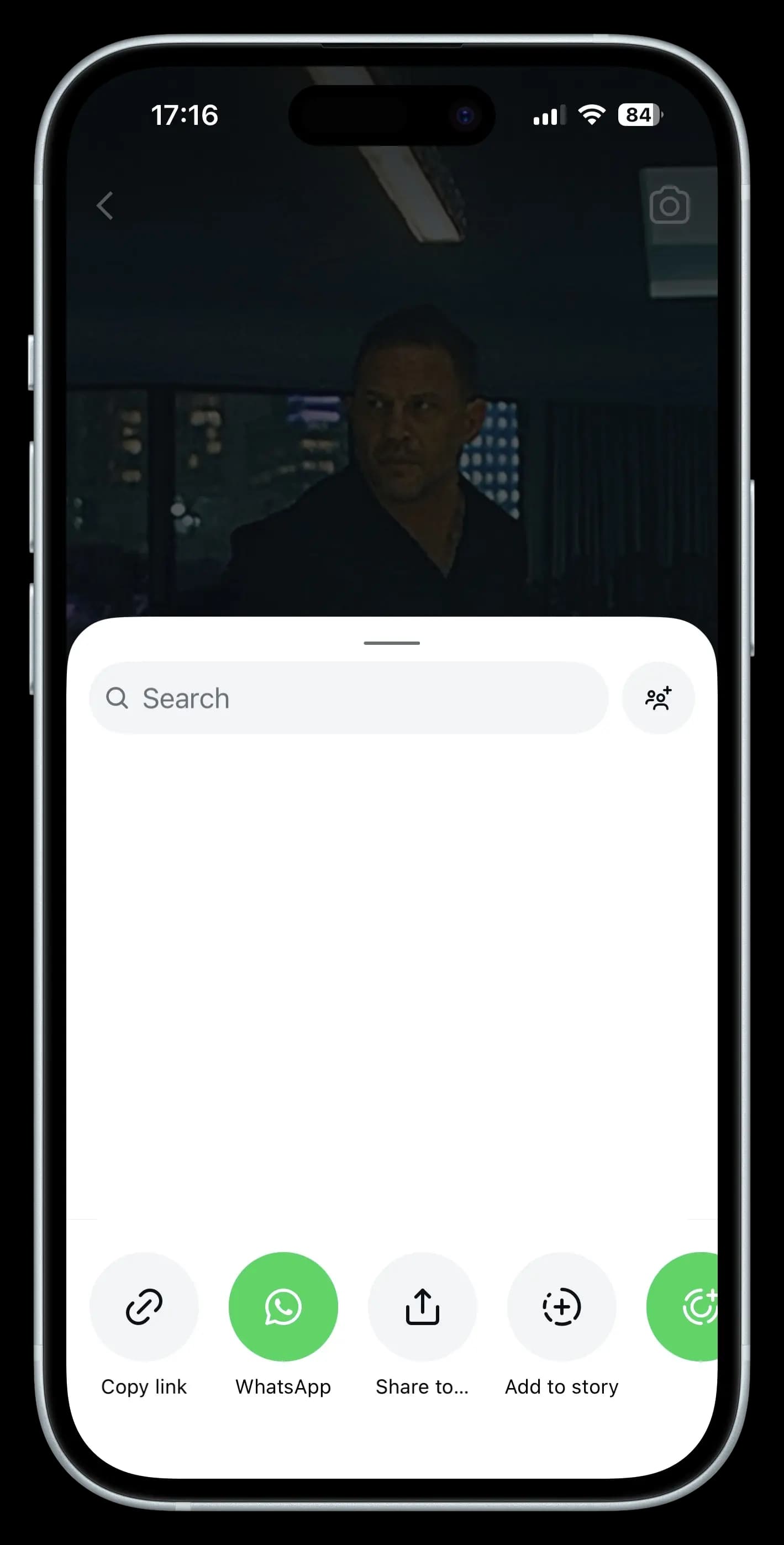
- Within the Instagram app or go to the Instagram Site.
- Find the specific instagram story highlight that you want to download.
- Simply tap the share button on that highlight and select “Copy Link” to get started. For Web based directly copy the url from search bar.
Step 2 - Paste the Link
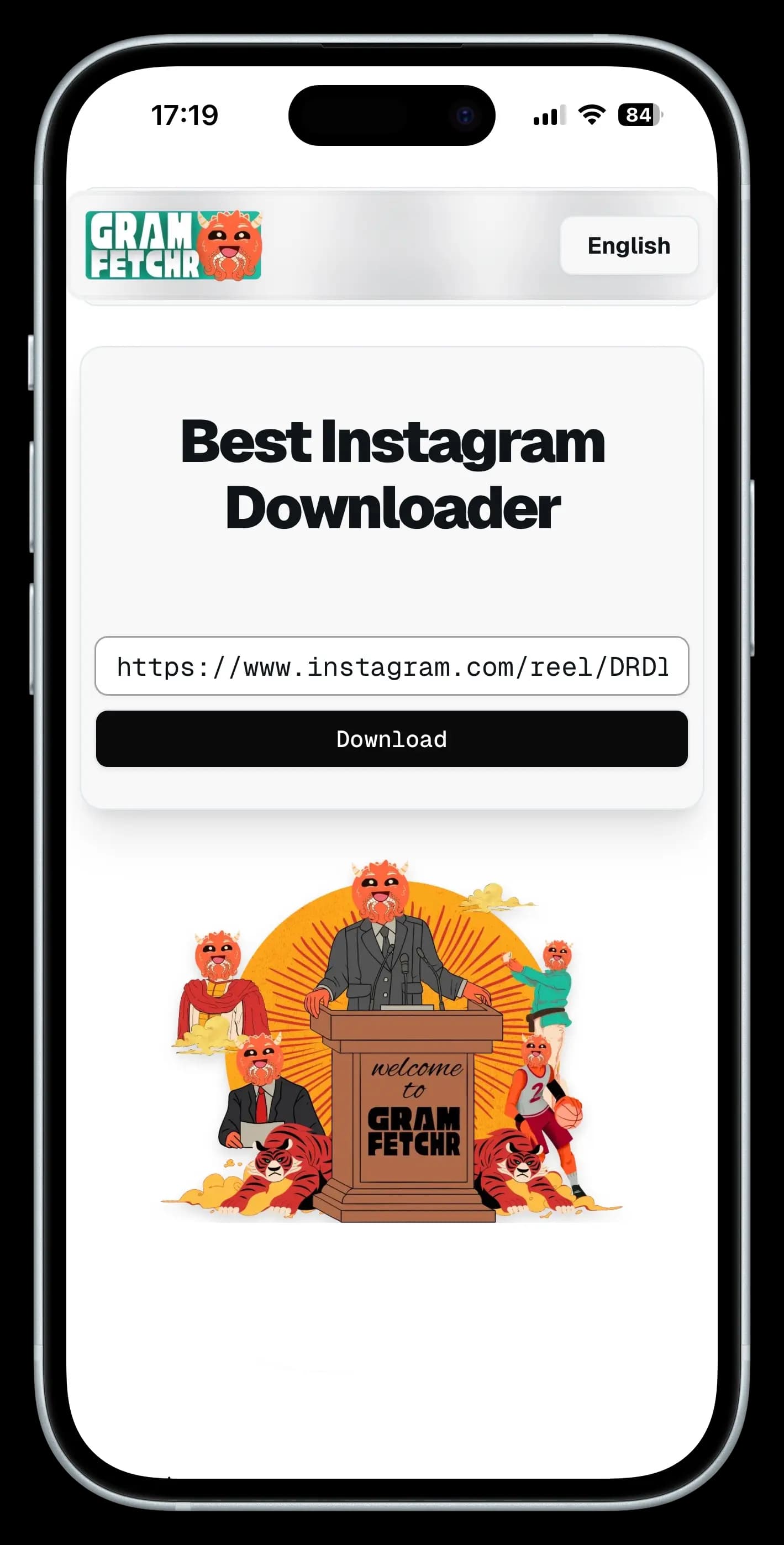
- Look for the URL input box at the Top section. It must be well positioned.
- Paste the highlight URL into our downloader tool’s input box.
Step 3 - Download the Instagram Highlights
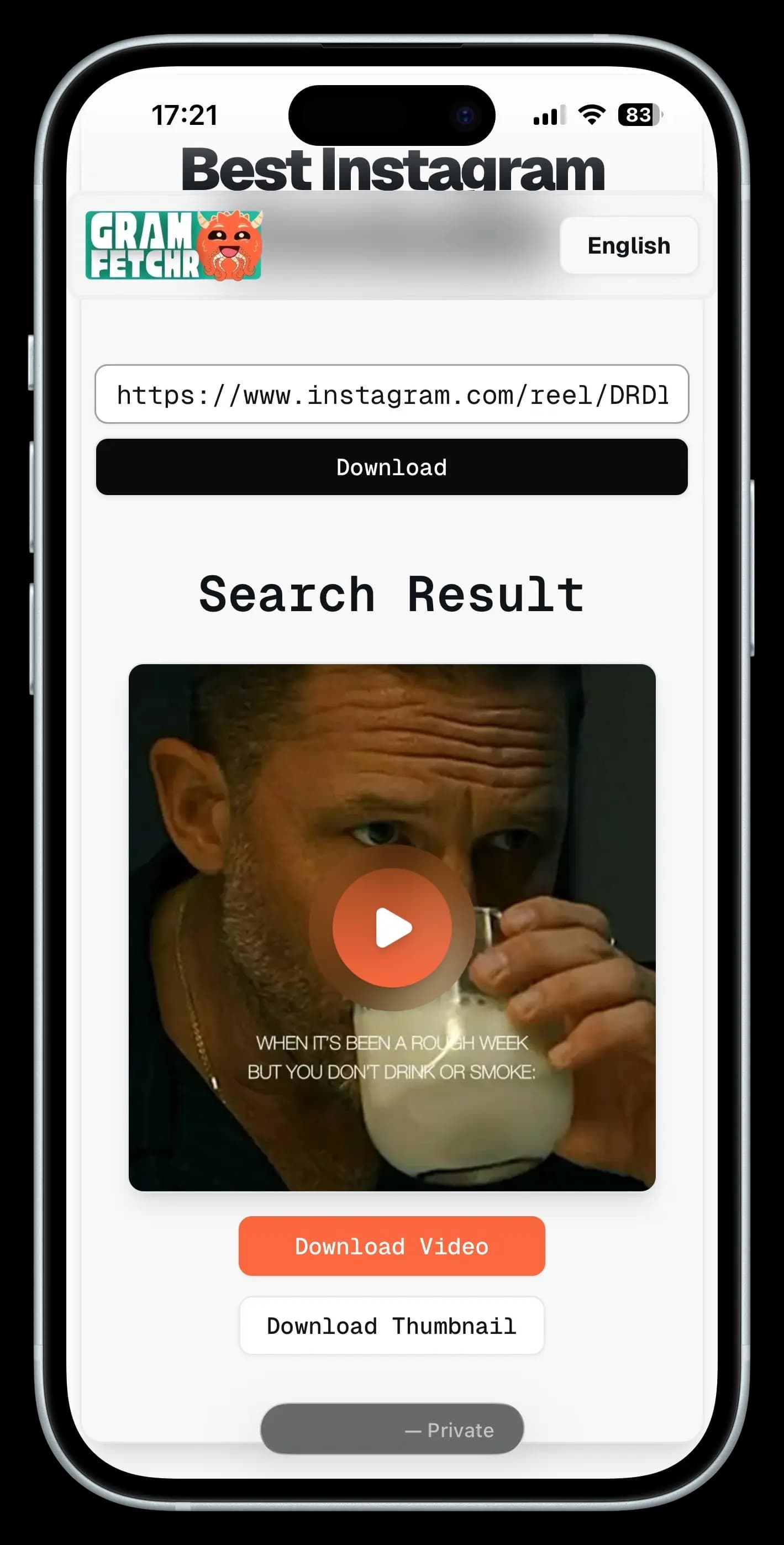
- Click the Download Button, and within seconds it will load the Highlights Preview you want to download.
- Once you are sure of the Instagram Highlights, Click the Download Button and the Instagram highlights file will be saved on your device effortlessly.
- The Instagram Story Highlights will be downloaded in the highest quality available, with no watermarks.
The basics
What are Instagram Highlights?
Instagram Highlights are the round covers pinned below an Instagram profile's bio. They hold Stories the account owner chose to save so they don't disappear after 24 hours, which is what happens to regular Stories by default.
Most creators group Highlights by theme, things like Travel, Recipes, Behind the Scenes, Q&A, or Reviews. Think of them as a curated mini-feed the Instagram account holder actually wants you to find, kept separate from their main grid of posts.
Frequently Asked Questions (FAQs)
Please refer to the list below for some of the most frequent questions or concerns related to the GramFetchr Instagram Highlights Downloader. If you feel that we haven't addressed your question yet, please don't hesitate to contact us via email or the message box on our contact page.
Download Process
How to download Instagram highlights without the app?
Instagram highlights can be downloaded without the app using GramFetchr, which works directly in any browser without installation.
Is there a way to save someone’s story highlights?
Yes, GramFetchr allows users to save publicly available Instagram story highlights quickly and securely.
Can I download Instagram highlight covers separately?
Absolutely. With GramFetchr, users can extract and download highlight covers individually from public profiles.
Can highlights from business pages be downloaded?
Yes, as long as the business Instagram profile is public, GramFetchr supports downloading highlights from it.
Do Instagram highlight downloads include all stories?
Yes, GramFetchr enables downloading of all stories included in a specific highlight collection.
Are highlight videos and photos downloaded in original quality?
GramFetchr ensures that all downloaded highlights retain their original resolution, depending on the source upload quality.
How to access old story highlights for download?
Simply locate the highlight on a public Instagram profile and paste its URL into GramFetchr to download the entire collection.
Is there a limit on downloading story highlights?
No, GramFetchr offers unlimited downloads of story highlights, completely free of charge.
Is it possible to save highlights from archived stories?
Only publicly visible highlights can be downloaded. Archived content not shown on a profile cannot be accessed by GramFetchr.
Are Instagram story highlight downloads watermark-free?
Yes, all content downloaded through GramFetchr is free from added watermarks.
Privacy and Security
Is GramFetchr safe to use for downloading Instagram stories highlights?
Yes, GramFetchr is completely safe to use. It does not require any personal information or account login, ensuring a secure and private experience. The platform is free from malware and data tracking.
Will the Instagram user be notified if their instagram Highlight is downloaded?
No, Instagram does not notify users when their highlight is downloaded using GramFetchr. The process remains completely anonymous, and no account details are required.
Does GramFetchr store any downloaded highlights or user data?
No, GramFetchr does not store any downloaded files, links, or user data. All downloads happen in real-time, and once a file is saved, there are no records kept on the platform.
Do I need to log in to my Instagram account to use GramFetchr?
No, GramFetchr does not require logging into an Instagram account. Simply paste the Instagram link, and the content can be downloaded instantly without any authentication.
Can downloading Instagram highlights through GramFetchr lead to account suspension or restrictions?
No, using GramFetchr does not violate Instagram’s terms for viewers. Since the tool operates without requiring login details, there is no risk of an account being suspended or restricted. However, downloaded highlights should be used responsibly and for personal purposes only.
Technical Issues
What should be done if GramFetchr fails to download Instagram Stories Highlights ?
If GramFetchr fails to download a Highlight, first ensure that the Instagram Highlight is public and not from a private account, as private content cannot be accessed. Double-check that the copied link is correct to avoid any errors. If the issue persists, try refreshing the page and attempting the download again. Additionally, clearing your browser cache or switching to a different browser or device may help resolve any technical issues preventing the download.
Why is GramFetchr showing an error when pasting an Instagram Stories Highlights link?
Errors may occur if the copied link is incomplete or incorrect. Make sure the full Instagram URL is pasted. If the issue continues, try copying the link directly from the Instagram app or web version to avoid formatting errors.
What to do if GramFetchr downloads are too slow or not starting?
If downloads are slow or not starting, first check your internet connection to ensure it is stable. If the issue continues, try using a different browser or switching between mobile and desktop to see if that improves performance. In some cases, network restrictions or regional limitations may interfere with downloads, and using a VPN might help bypass such restrictions. Additionally, temporary server load can sometimes affect download speed, so if the problem persists, waiting a few minutes and trying again may resolve it.
Are Instagram story highlights downloadable from private profiles?
No, our tool only allows downloads from public instagram accounts due to privacy restrictions.
Legal
Is it legal to download Instagram Highlights?
Downloading Instagram stories Highlights using GramFetchr is allowed for personal use. However, users should respect copyright laws and the original creator’s rights. Highlight should not be used for commercial purposes or redistributed without permission.
Can downloaded Instagram Highlights be shared elsewhere?
Highlight downloaded through GramFetchr should not be shared without the creator’s consent if it is copyrighted. It is always recommended to give proper credit or obtain permission before reposting on other platforms.
Does GramFetchr have any responsibility for how users use downloaded Stories Highlights?
No, GramFetchr is a tool designed for downloading publicly available Instagram stories highlights. The responsibility for how the highlight is used lies entirely with the user. It is advised to follow Instagram’s terms of service and respect content ownership rights.
GET STARTED NOW
Save Instagram Story Highlights permanently in Original quality.
Downloading Instagram highlights doesn't need to be complicated. Paste a link, wait a few seconds, and your files are ready in original HD quality. GramFetchr is free to use, requires no signup, and there are no limits on downloads. Give it a try now!
For personal use on public highlights only. GramFetchr allows only Public Instagram Highlights download, please respect creator’s copyright and privacy.