
Why Aspect Ratio and Resolution Matter for Creators
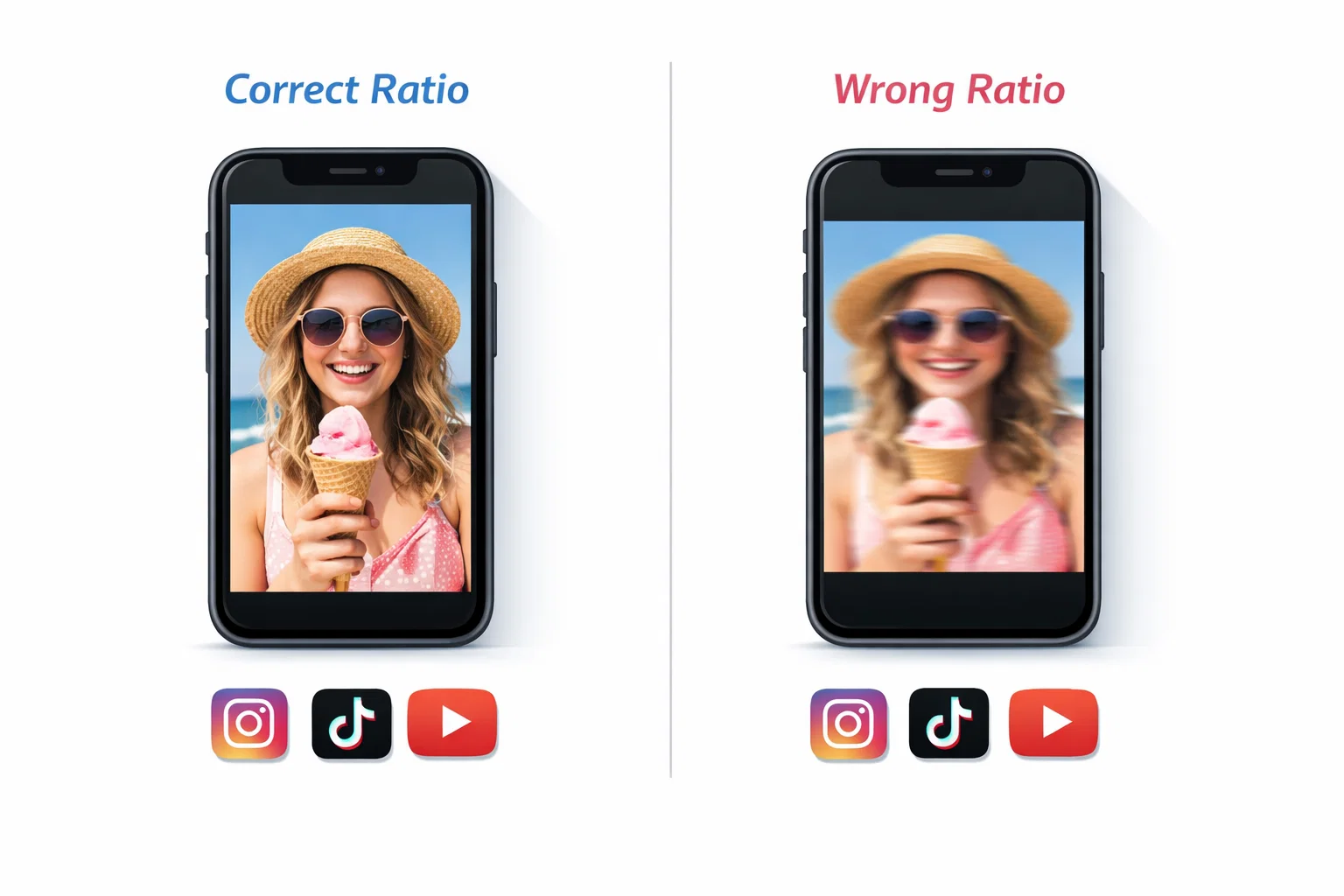
You spent hours crafting the perfect Instagram Reel - the hook lands, the music slaps, the edit is clean. Then you repurpose it to TikTok and it looks stretched, blurry, or cropped in all the wrong places. That one mistake can tank your reach before the algorithm even gives you a chance.
Ignoring platform-specific aspect ratios and resolutions doesn't just hurt aesthetics - it signals low production quality to viewers and platforms alike, suppressing your distribution. Every second your video looks off, you're losing watch time, followers, and brand credibility.
This guide gives you the exact specs you need for every major platform so your downloaded Instagram Reels land perfectly, every single time.
What Is the Native Aspect Ratio of Instagram Reels?
Instagram Reels are natively formatted in 9:16 vertical aspect ratio, the standard for full-screen mobile video. The recommended resolution is 1080 x 1920 pixels, which covers the full vertical canvas of most smartphones.
Here's a quick breakdown of Instagram's native specs:
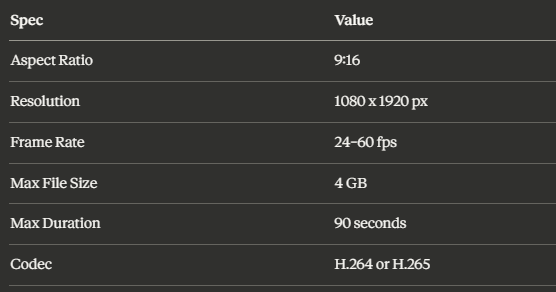
According to Outfy's Instagram Reel size guide, these specs have remained consistent and represent the gold standard for short-form vertical video. Understanding them is your baseline - every platform comparison you'll read below is relative to this format. If you want to understand more about the difference between Reels and feed videos and what to download when, that's a great place to start.
Instagram Reels Resolution for TikTok
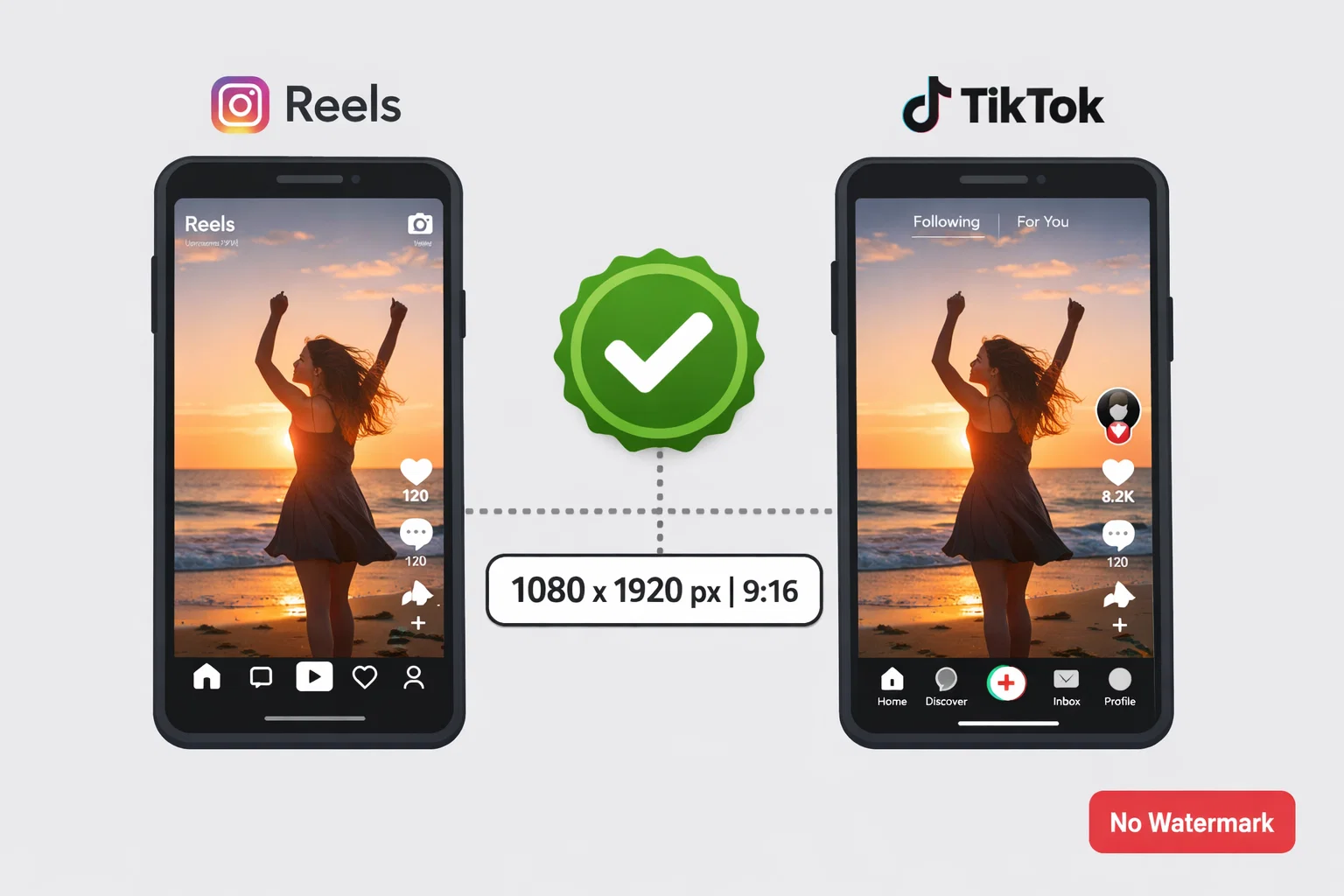
Great news: TikTok uses the exact same aspect ratio as Instagram Reels - 9:16 at 1080 x 1920 pixels. This means a properly downloaded Reel can be uploaded to TikTok with virtually no reformatting required, as long as the file quality is preserved during the download process.
Key TikTok specs to match:
- Aspect Ratio: 9:16 (vertical)
- Resolution: 1080 x 1920 px (minimum 720p)
- Frame Rate: 24–60 fps
- File Format: MP4 or MOV
- Max Duration: 10 minutes
- Max File Size: 287.6 MB
Where creators go wrong: The problem isn't the dimensions - it's the quality. Many download tools compress video files, stripping bitrate and producing pixelated results. If your Reel looks crisp on Instagram but muddy on TikTok, the culprit is almost always compression during download.
To repurpose your content effectively, you need a tool that preserves original quality. Check out this guide on how to repurpose Instagram Reels for YouTube Shorts and TikTok for a full workflow.
Pro Tip: TikTok's algorithm does slightly penalize re-uploaded content with visible watermarks. When downloading your Reels for TikTok, always use a watermark-free downloader like GramFetchr's Reels Downloader to avoid this issue.
Reel Size for YouTube Shorts
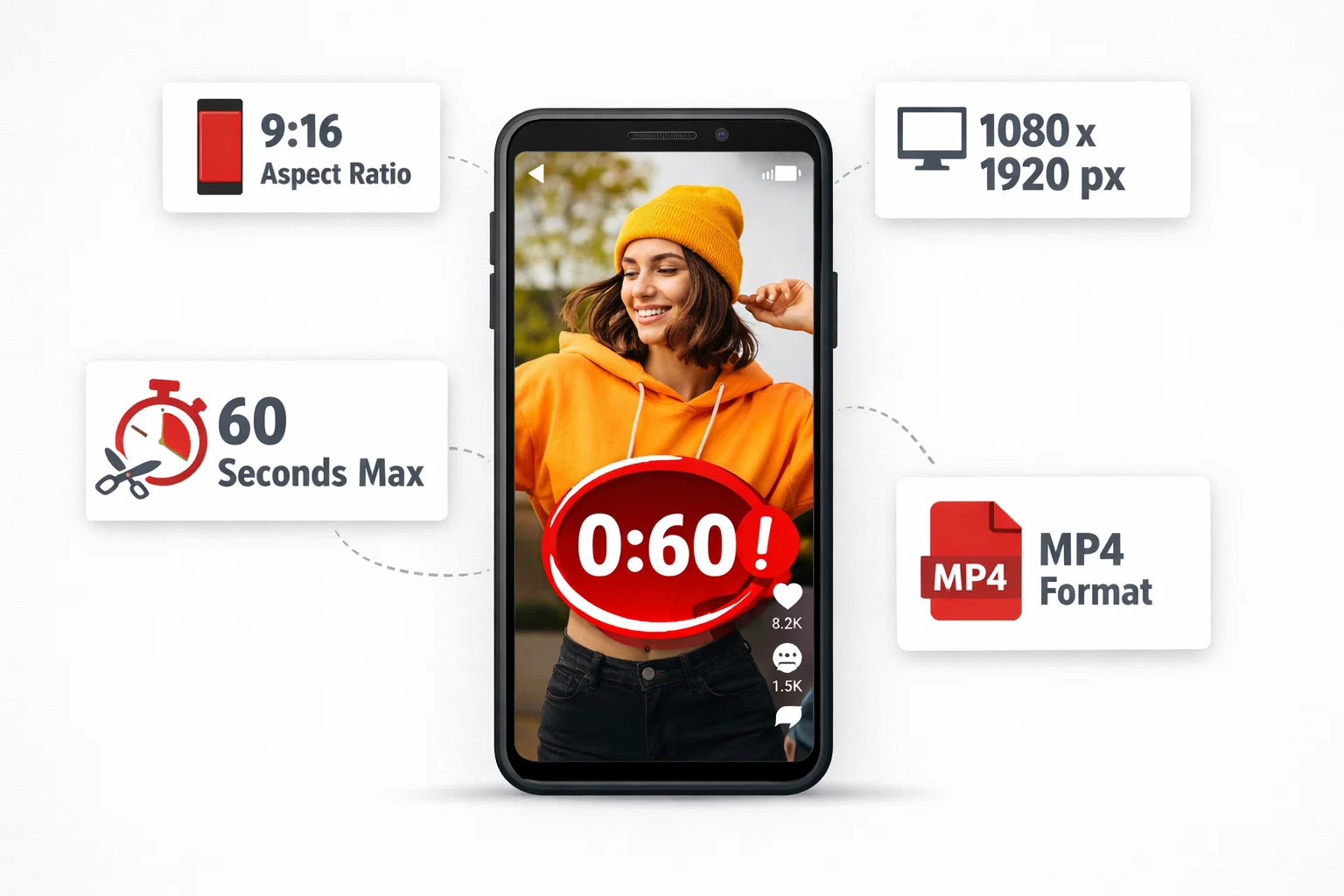
YouTube Shorts also uses the 9:16 aspect ratio at 1080 x 1920 pixels, making it another near-perfect match for Instagram Reels content. However, there are a few nuances that matter:
YouTube Shorts specs:
- Aspect Ratio: 9:16 (videos between 1:1 and 9:16 are accepted)
- Resolution: 1080 x 1920 px recommended
- Frame Rate: Up to 60 fps
- Max Duration: 60 seconds (Shorts); longer uploads go to regular video
- File Formats: MP4, MOV, AVI, WMV, FLV
The 60-second limit is crucial. Instagram Reels can run up to 90 seconds, but anything over 60 seconds won't qualify as a YouTube Short and will instead be processed as a standard video - which receives far less algorithmic push. Hootsuite's breakdown of Instagram Reel size and length requirements covers this distinction in detail and is worth bookmarking for reference.
Pro creator move: Trim your downloaded Reel to under 60 seconds before uploading to YouTube. Learn how to trim downloaded IG videos for other apps to nail this step efficiently.
Another thing to consider: the reel cover (thumbnail) matters enormously on YouTube. After downloading your Reel, you can turn your reel covers into YouTube thumbnails to maintain visual branding consistency across platforms.
Best Resolution for Reels on Facebook
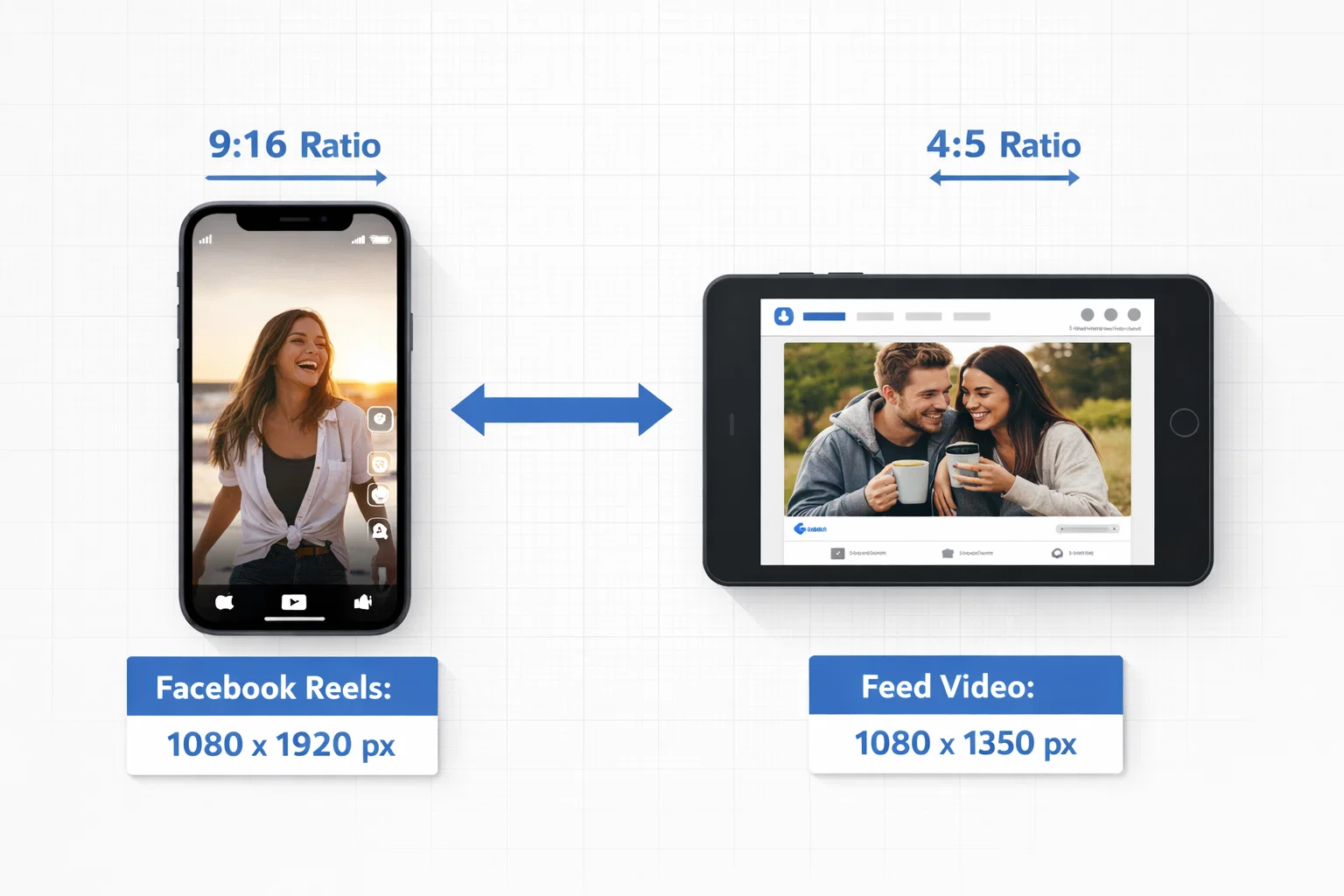
Facebook supports both vertical and horizontal video, but for Reels specifically (Facebook Reels are a separate feature), the specs closely mirror Instagram:
Facebook Reels specs:
- Aspect Ratio: 9:16 (recommended for Reels)
- Resolution: 1080 x 1920 px
- Frame Rate: 24–60 fps
- Max Duration: 90 seconds
- File Format: MP4 or MOV
For Facebook feed video (non-Reels), a 4:5 aspect ratio at 1080 x 1350 px often performs better since it takes up more screen real estate in the feed.
If you're repurposing Instagram Reels content to Facebook, you can read about the full process of repurposing Instagram video content to Facebook. For brands and social media managers running paid campaigns, understanding these specs is non-negotiable - learn how social media managers use IG video downloads for campaigns.
Pinterest, LinkedIn & Twitter: What Specs Work?
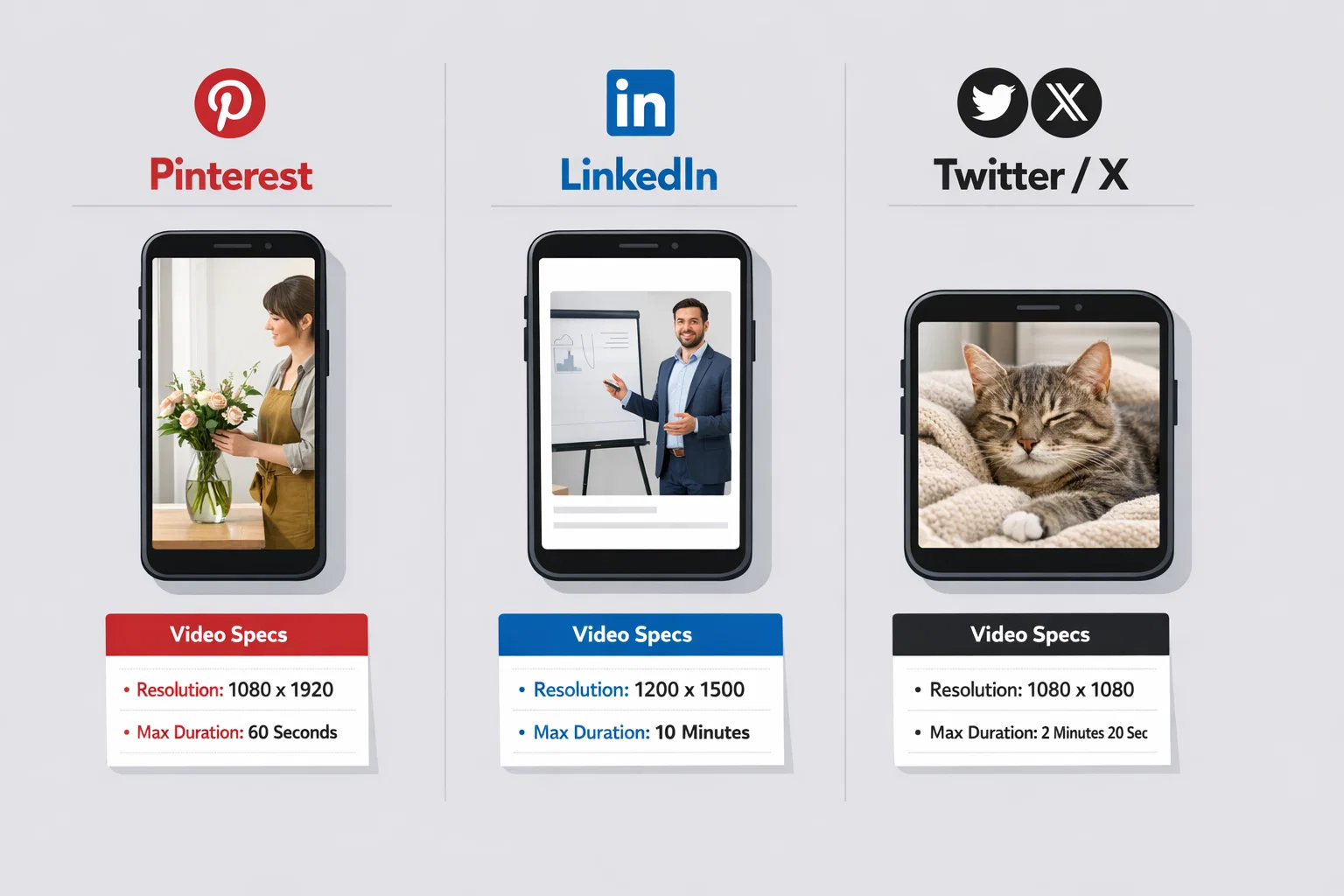
Pinterest is a strong contender for video content, particularly for lifestyle, fashion, food, and DIY niches.
- Aspect Ratio: 9:16 or 2:3 (both work; 9:16 performs best on mobile)
- Resolution: 1080 x 1920 px
- Max Duration: 15 minutes
- File Format: MP4, MOV, M4V
Instagram Reels translate almost perfectly to Pinterest. No resizing needed.
LinkedIn's video specs are more flexible but have one key difference:
- Aspect Ratio: 1:1, 16:9, or 4:5 (9:16 is supported but not always displayed full-screen)
- Resolution: 256 x 144 px minimum to 4096 x 2304 px maximum
- Max Duration: 10 minutes
- Recommended Format: MP4
For LinkedIn, you may want to crop a 9:16 Reel to 4:5 or 1:1 for optimal feed display.
Twitter/X
- Aspect Ratio: 16:9 or 1:1 (9:16 is supported but displays with black bars)
- Resolution: 1280 x 720 px minimum
- Max Duration: 2 minutes 20 seconds
If you're posting Reels on Twitter, consider cropping the key action into a 1:1 square format for maximum engagement.
For creative uses beyond standard repurposing, check out how to turn downloaded IG Reels into GIFs or stickers for Twitter and messaging apps.
What Happens to Quality When You Download Instagram Reels?
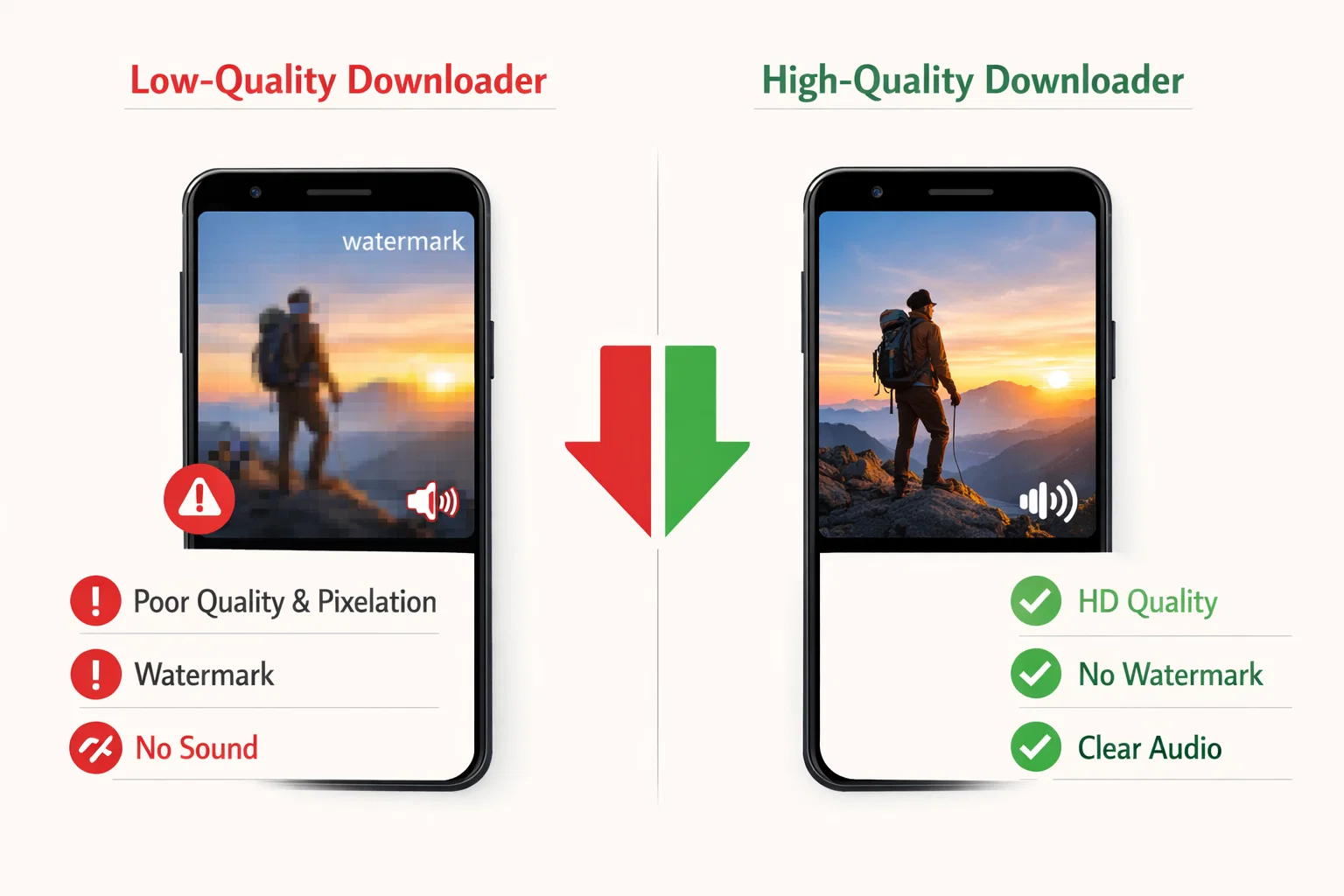
This is one of the most asked questions among creators, and the answer depends entirely on the tool you use to download.
Instagram compresses video upon upload - meaning the version stored on Instagram's servers is already slightly compressed from your original. When you download a Reel, you're working with this compressed version. A good downloader will retrieve the highest available quality of that compressed file. A poor one will compress it again, leading to:
- Visible pixelation or blurriness
- Audio quality degradation
- Loss of color accuracy
- Reduced frame rate
This is why some creators wonder why downloaded Instagram Reels sometimes have no sound - low-quality tools often strip audio tracks during processing.
The key takeaway: Always use a downloader that pulls the original quality file without re-encoding. GramFetchr's Video Downloader is built to retrieve files at the highest available resolution without adding compression, watermarks, or audio loss.
Download Instagram Reels Without Compromising Quality
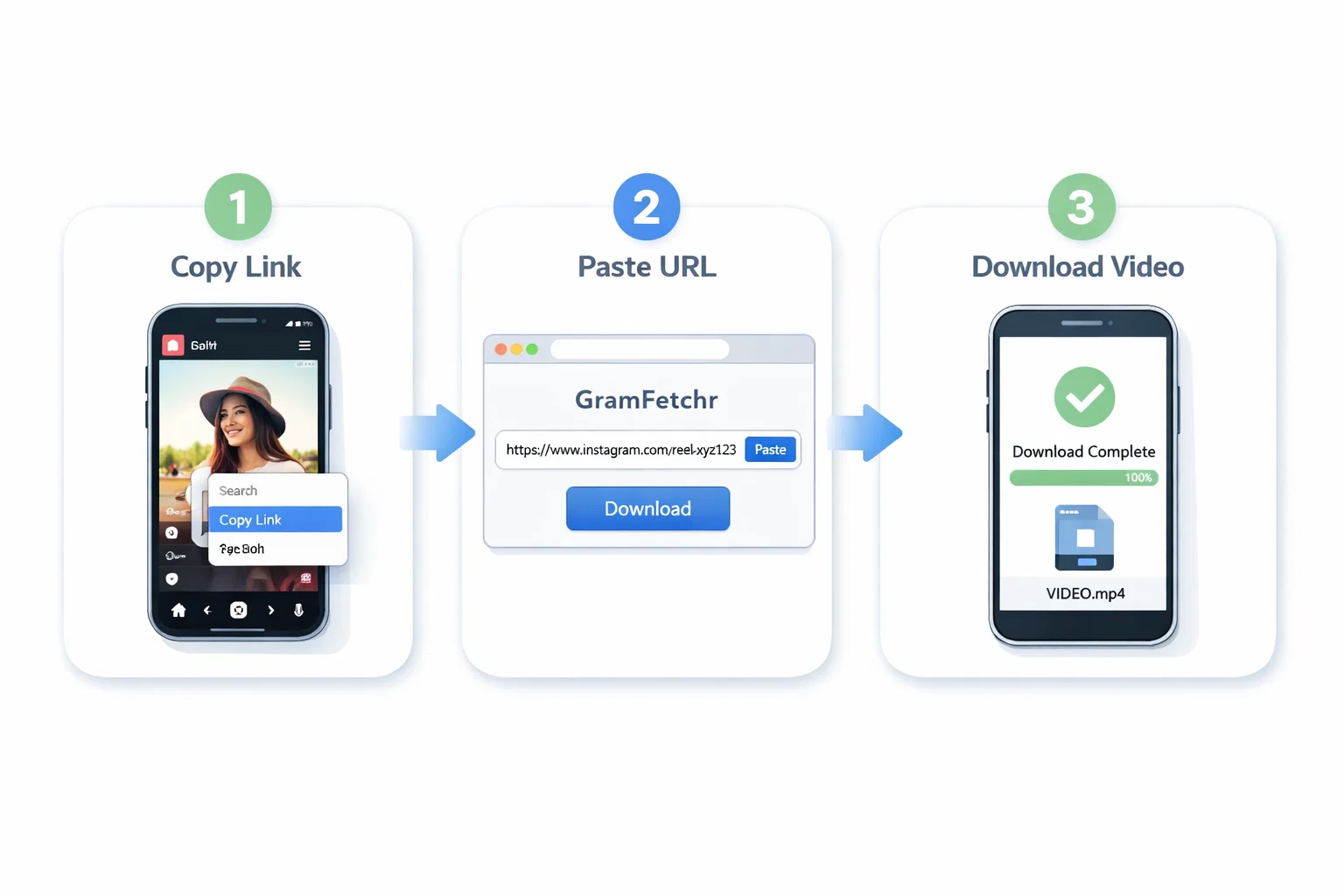
Getting the best possible quality from a downloaded Reel comes down to your tool and your process. Here's exactly how to do it using GramFetchr:
Step 1 - Copy the Reel URL Open Instagram (app or browser), navigate to the Reel you want to download, and copy its link. Tap the three-dot menu on the Reel and select "Copy Link."
Step 2 - Paste the URL into GramFetchr Go to gramfetchr.com/reels-downloader and paste the copied URL into the input box at the top of the page.
Step 3 - Download in High Quality Click the Download button. GramFetchr will fetch the highest-quality version of the Reel available and save it directly to your device - no watermarks, no re-compression, no login required.
This 3-step process works for public Reels, and you can download Instagram Reels like a pro once you understand the workflow. For creators managing large content libraries, you can also download IG content in bulk for content planning.
Want to keep the audio intact? Make sure to use GramFetchr's audio-preserving download method to ensure the music or voiceover in your Reel survives the process.
Step-by-Step: Repurpose Your Downloaded Reels for Every
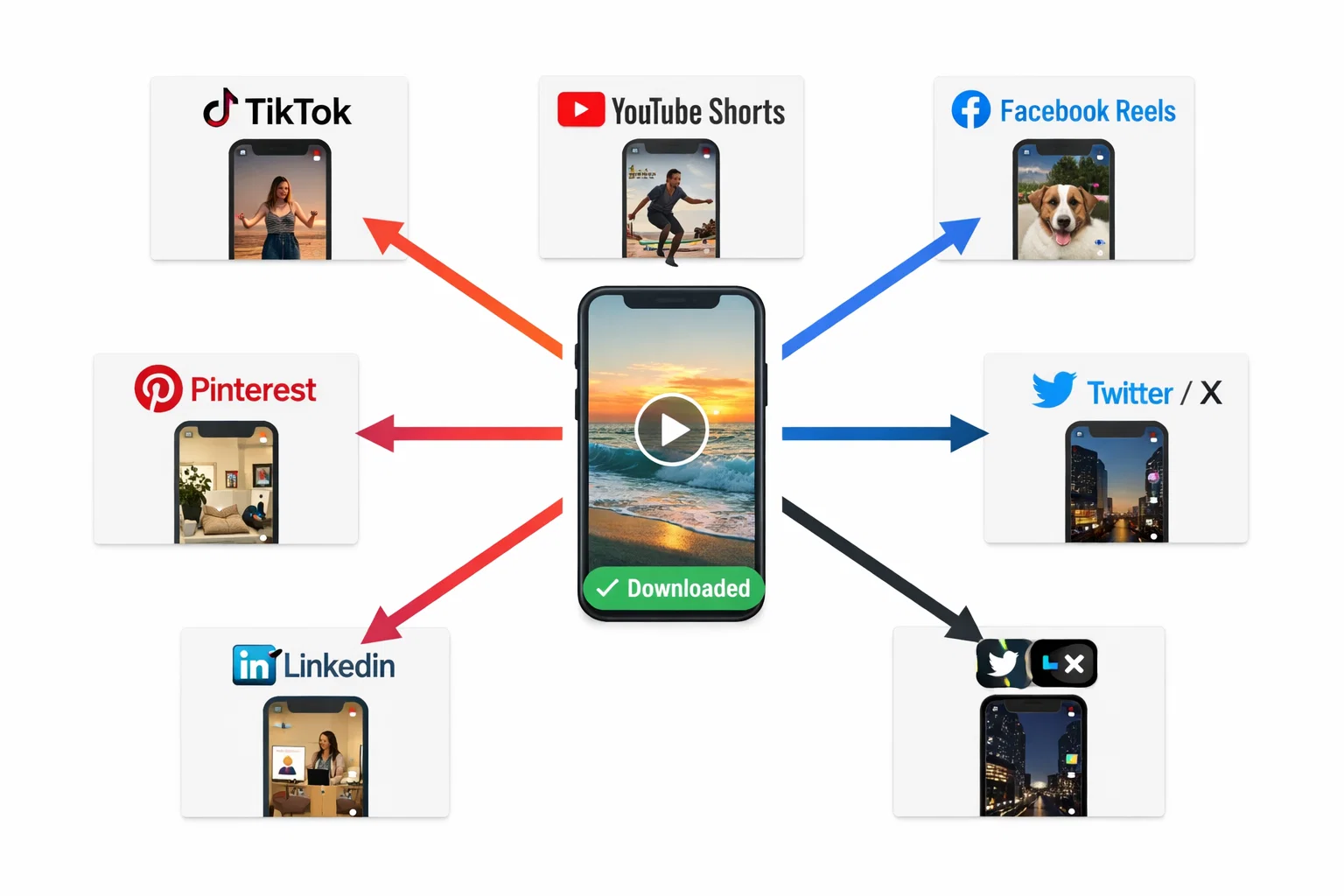
Here's a practical workflow for creators who want to take one Reel and make it work across multiple platforms:
Step 1: Download the Reel at Full Quality Use GramFetchr's Reels Downloader to get a clean, watermark-free, high-resolution MP4 file.
Step 2: Check the File Specs Open the file on your device and confirm: Is it 1080 x 1920 px? Is the frame rate 30 or 60 fps? Is the audio clean? If yes, you're ready for multi-platform publishing.
Step 3: Post Directly to TikTok No resizing needed. Upload the 9:16 file directly. Remove any Instagram-specific text or stickers if present.
Step 4: Trim for YouTube Shorts If your Reel is over 60 seconds, trim it before uploading. Use free tools like CapCut or VN Editor to cut it down.
Step 5: Create a Custom Thumbnail Download the reel cover using GramFetchr's Thumbnail Downloader and customize it for YouTube.
Step 6: Repurpose to Facebook and Pinterest Upload the same 9:16 file. Both platforms support the format natively.
Step 7: Adapt for LinkedIn and Twitter If needed, use a crop tool to adjust to 4:5 or 1:1 for LinkedIn and Twitter feed posts.
Bonus: Smart influencers back up all their content before repurposing. Learn how influencers back up their Instagram content to protect your creative assets.
Quick Reference: Platform Specs Cheat Sheet
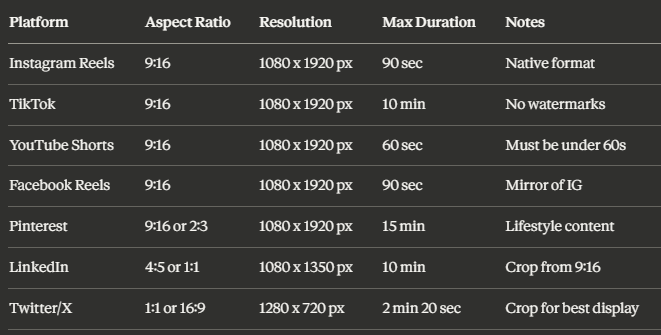
Bookmark this table - it's your go-to reference every time you repurpose a Reel. For a deeper dive into Instagram video specifications across all content types, SocialPilot's comprehensive guide on Instagram video size specifications is an excellent companion resource.
For even more advanced content strategies, explore how to turn downloaded IG videos into audiograms and clips for podcast and audio-first platforms, or learn how to turn downloaded Reels into Instagram Ads to fuel your paid strategy.
Final Thoughts
Understanding the aspect ratio and resolution for Instagram Reels is one of the highest-leverage things a content creator can do in 2026. When your specs are right, your content looks professional on every platform, your watch time increases, and algorithms reward you with wider distribution.
The workflow is simple: download your Reel at full quality using GramFetchr, verify your specs against the platform cheat sheet above, make minor trims or crops where needed, and publish with confidence.
Whether you're a solo creator, a brand manager, or an influencer managing a multi-platform presence, GramFetchr's suite of download tools gives you everything you need to download Reels, Stories, Highlights, and more - without watermarks, without quality loss, and without needing to log in.
Start repurposing smarter. Your content deserves to be seen everywhere it can reach.
Share